

1. 概要
2025年12月21日(日)に開催予定の第10回 岐阜AI勉強会の準備のため、Stable Diffusion 3.5 Medium を Google Colab PRO で動かしました。これはそのときのメモになります。
設定を変更すれば無料の Google Colab でも動作させられるかもしれませんが、今回は、有料の Google Colab PRO で L4 GPU を使用して動かしました。
2. スクリプトの実行
こちらのリンク先に Stable Diffusion 3.5 Medium を動かす Google Colab のページを用意しました。
下記のようなコードセルになっています。
!pip install -U diffusers transformers accelerate protobuf sentencepiece

import torch
from diffusers import StableDiffusion3Pipeline
from huggingface_hub import login

login()

# 重要:low_cpu_mem_usage と use_safetensors を有効にしてモデルを読み込む
pipe = StableDiffusion3Pipeline.from_pretrained(
    "stabilityai/stable-diffusion-3.5-medium",
    torch_dtype=torch.float16,
    use_safetensors=True,
    low_cpu_mem_usage=True,
)

# メモリ節約設定
pipe.enable_attention_slicing()
pipe.vae.to(torch.float16)

# GPU に必要な部分だけ載せる
pipe.to("cuda")

prompt = "A blue bird holding a sign that says 'Gifu AI Study Group'"

image = pipe(
    prompt,
    num_inference_steps=30,
    guidance_scale=7.0,
).images[0]

image.save("blue-bird-with-sign.png")
image
上記のコードセルを実行し、下記のようなエラーメッセージが表示されたら、RESTART SESSION ボタンをクリックします。

もう一度、上記のコードセルを実行します。下記のようなメッセージが表示されたら、Hugging Face の Token を入力し、Login をクリックします。
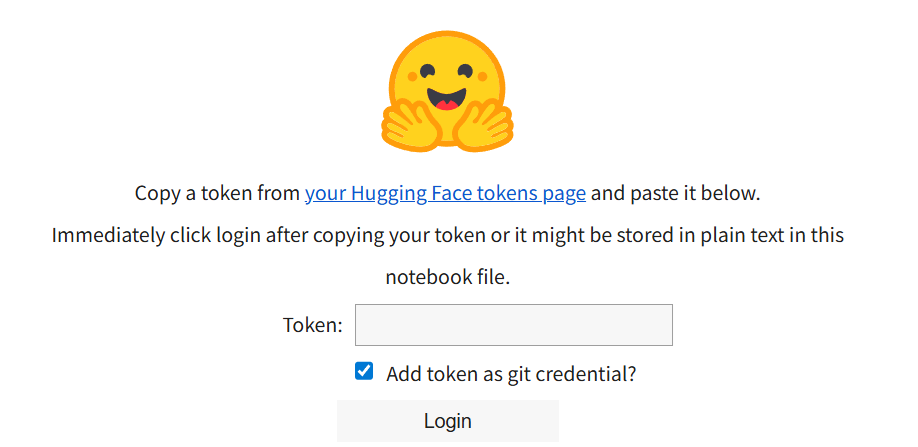
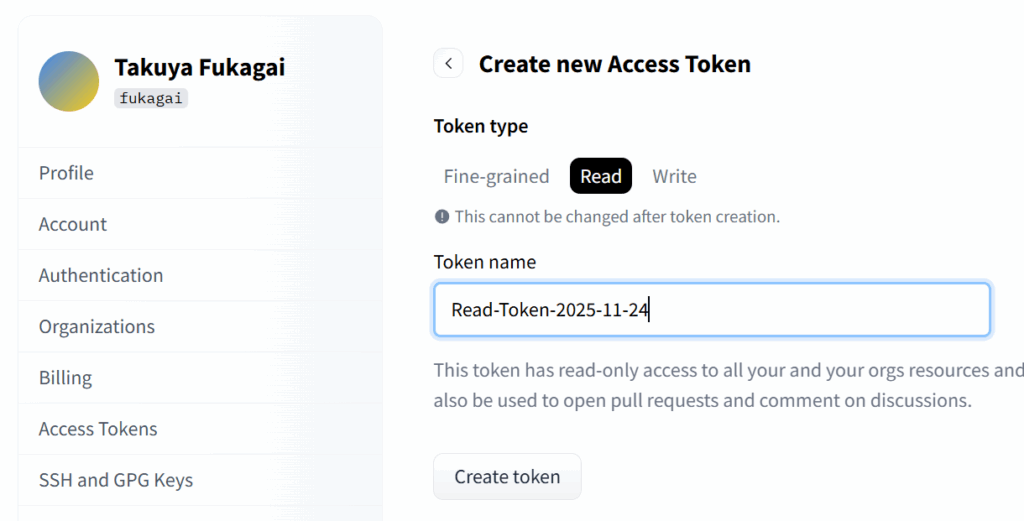
Hugging Face の Token は、Hugging Face のアカウントを作成後、こちらのリンク先で Create new token ボタンをクリックして用意します。Create new token ボタンをクリックすると下の例のようなページが表示されるので、Read を選択し、Token name を入力して Token を作成します。Token を作成した際、Token を参照することできます。これをコピーしておいて使用します。
3. スクリプト実行結果の例
下記の例のようなコードセルを用意して実行しました。Gifu AI Study Group という文字を木の葉を並べて表した画像の出力を試みました。
prompt = "An image of the text 'Gifu AI Study Group' created by arranging leaves."

image = pipe(
    prompt,
    num_inference_steps=30,
    guidance_scale=7.0,
).images[0]

image.save("Leaves-v1.png")
image
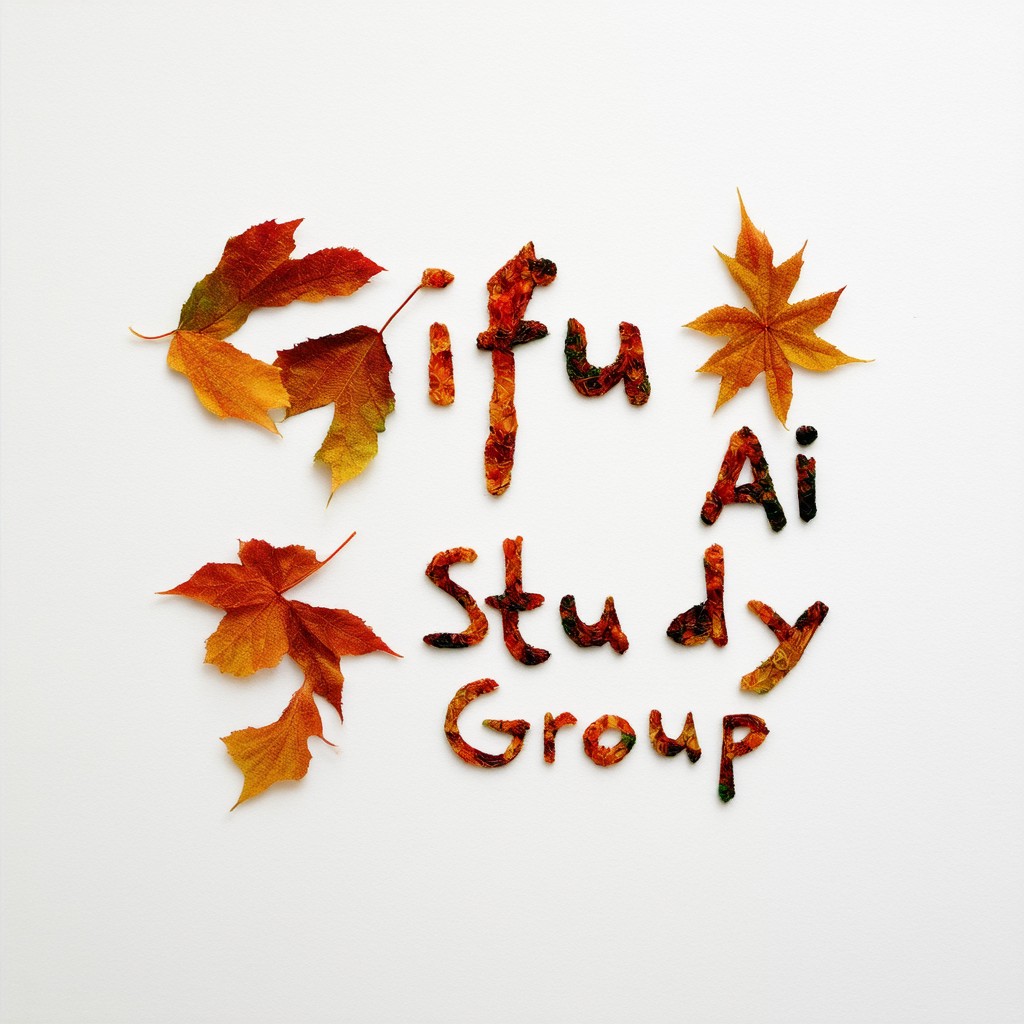
下記のコードセルの例のようにプロンプトの内容を少し変えて試しました。Gifu AI Study Group という文字と少し異なる文字が出力される場合もありました。
prompt = "An image of the text 'Gifu AI Study Group' created by arranging autumn leaves. The letters themselves are written with leaves."

image = pipe(
    prompt,
    num_inference_steps=30,
    guidance_scale=7.0,
).images[0]

image.save("Leaves-v4.png")
image

下記の例のように日本語で「岐阜AI勉強会」と出力させようともしましたが、こちらは上手くいきませんでした。
prompt = "An image of the text '岐阜AI勉強会' created by arranging leaves."

image = pipe(
    prompt,
    num_inference_steps=30,
    guidance_scale=7.0,
).images[0]

image.save("Leaves-Japanese-v1.png")
image